Duplication of Effort at Work: Causes, Signs and Fixes
Learn what causes duplication of effort in teams, how to spot the warning signs, measure the cost and prevent repeat work.
Two versions of the same client report land in the same folder on a Thursday afternoon. One shows 412 new leads for the quarter, the other 388. A marketing lead built the first over five days. A sales operations analyst built the second over the same five days, from a different export and a slightly different definition of a qualified lead. Neither knew the other had started.
That week bought half the work the job needed and produced a decision nobody could defend. Friday's meeting wasn't about the client. It was about which file the account team had already sent.
What follows separates repeated work that should stop from repeated work worth paying for, with a sorting test you can apply this week and a baseline you can measure.
What Duplication of Effort Looks Like Day to Day
The scenario above is the standard shape of the problem, and it usually runs like this. Someone asks for a report. Two people volunteer or get assigned. Each one starts from the source system rather than from a shared plan, so each one repeats the extraction, the cleanup, and the judgment calls about which leads count.
Duplication of effort is work that repeats effort already spent on the same goal, output, or decision. That definition is narrow on purpose, because it rules out two things people usually lump in with it.
- Overlap is when teams share a goal and divide the work. Two regions covering the same product launch is overlap, and it works as long as the split is clear.
- Fragmentation is when related work sits in separate tools and separate owners, so no one can see the whole picture. It shows up at the handoff.
- Duplication is the same output produced twice, or the same decision made twice, by people who would each have deferred to the other if they had known.
The analogy that sticks is two cooks chopping the same onions because the recipe card is pinned up in a different kitchen. Neither cook is slow. The kitchen doesn't share a plan.
This is structural, not personal. In 2011, the GAO findings summarized by the Senate Budget Committee documented duplication across more than 546 federal programs, including 47 separate job-training programs costing about $18 billion. Every one of those programs had staff delivering real training to real people.
The tell: nobody in the room was idle. The waste appeared only when the two outputs collided.
Duplication stays hidden for that reason. Each person acts productively, so nothing looks wrong until the deliverables meet. Then the cost arrives in three parts. The hours are spent twice. The versions disagree. And a decision gets made on whichever copy reached the decision-maker first, which is not the same thing as the correct one.
The question worth answering, then, isn't how to eliminate every overlap. It's which repeated work should stop and which is worth keeping. Those are different problems with different fixes, and treating them the same way causes its own damage.
Three Kinds of Overlap and Which to Stop
Most advice treats every overlap as waste. That instinct leads teams to merge reviews that were supposed to stay separate. Independent legal, privacy, and cybersecurity reviews of the same project catch different failure modes, and ISACA's 2025 analysis of collaboration and AI governance makes the point directly: integrated oversight should clarify who is responsible rather than remove independent challenge. The same analysis notes that only 21% of enterprises have mature governance models for autonomous agents, with redundant or conflicting agents already operating across business functions.
So the useful move is to sort overlap before deciding anything.
| Type | How to recognize it | Example | Action |
|---|---|---|---|
| Accidental duplication | Two people produce the same output without knowing the other started | Two analysts build the same monthly client report | Stop one and keep a single canonical output |
| Intentionally independent validation | Separate reviewers check the same risk for different failure modes | Legal and privacy each review a new client data flow | Keep both, and document who owns each review and why |
| Reusable parallel experimentation | Teams test different approaches to the same problem on purpose and share results | Two designers test two onboarding flows with a shared findings log | Keep it time-boxed and record the outcome |
The test question behind each verdict
Accidental duplication asks whether the second effort answers the same question with the same output. If two people would hand the client the same document with different numbers, you have it. Two staff members drafting the same onboarding email sequence is the same pattern at smaller scale.
Independent validation asks whether the second reviewer is looking for a different failure mode. A privacy reviewer and a security reviewer reading one data flow diagram aren't repeating each other when one traces where personal data travels and the other asks what happens if a credential leaks. Remove either and you lose a class of failure, not a copy of a check.
Parallel experimentation asks whether the results will feed a shared decision. Two teams testing different pricing pages produce real evidence if they agree on the metric and share a findings log by a set date. Without the date and the log, you get two opinions and no evidence.
Ownership test: if you can't name the person who owns the canonical version, no process will save the document.
Then write the verdict next to the overlap: stop it, keep it and document why, or time-box it with a recorded outcome. Three questions make that verdict stick. Who owns the canonical output? At what point should a second team review rather than recreate? And where do exceptions get written down, so the next person doesn't relitigate a settled call?
Root Causes That Make Teams Repeat Work
Duplication rarely comes from carelessness. It comes from structure, and the structure is usually invisible to the people inside it.
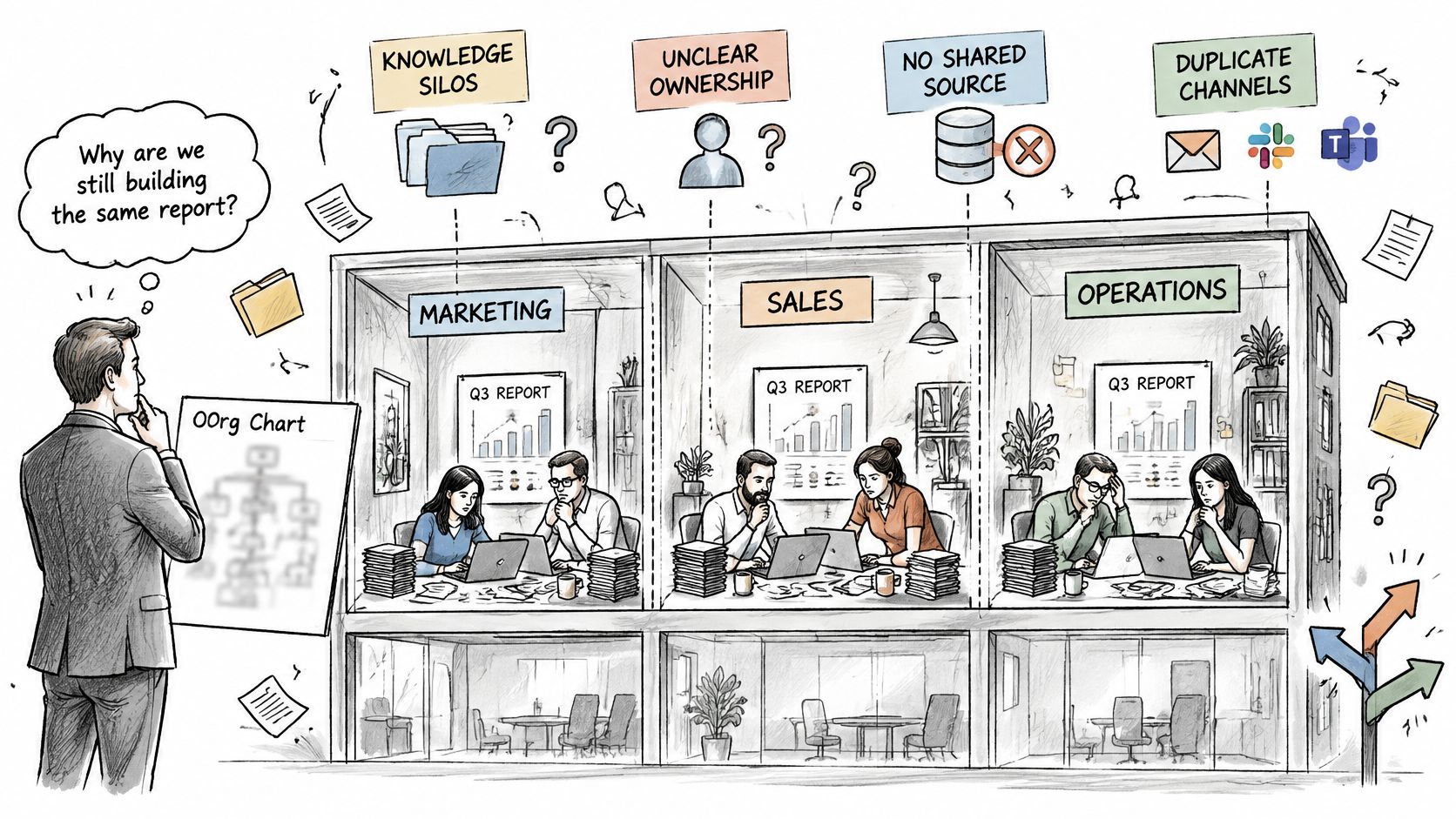
The clearest evidence sits in how much time goes into finding things. In a 2022 survey of 1,404 full-time knowledge workers at organizations with more than 10,000 employees across the United States, the United Kingdom, Germany, and Switzerland, employees reported spending an average of 102 minutes a day searching for information required to do their jobs, and 56% said they had missed an opportunity because they lacked the right information at the right time, according to the Future of Work report on the cost of inaccessible knowledge.
The mechanism behind most repeats
When a team can't discover existing work, it recreates the analysis, the document, the design, or the project plan. A parallel team does the same, from a different starting point, and the two conclusions diverge. That's the whole engine.
- Knowledge silos: project context and earlier decisions stay with the team that made them. The reasoning was sound when it was written and invisible three months later.
- Unclear ownership of recurring deliverables: nobody knows who should start, so two people start. The monthly report, the quarterly review, the onboarding pack all behave this way.
- No searchable intake: a new task opens without checking for an existing one, because searching isn't part of opening a task.
- Tool sprawl: tasks in one app, chat in another, files in a third, time records in a fourth. No single question returns the whole answer, so people ask three.
- Decisions recorded in a chat thread: the reasoning lives where the work isn't tracked, and the thread scrolls away within a week.
- Handoffs without status: the next person restarts the work because nobody told them what was already done and what was deliberately dropped.
A product team and a support team writing their own onboarding FAQ is the pattern in miniature. Both are right to write it. Within a month, one says setup takes ten minutes and the other says thirty, and a customer quotes the wrong one back at you.
Each of those causes is structural, which is why asking people to communicate better rarely fixes any of them. You can't try harder your way out of a system that hides its own history.
Warning Signs That Work Is Being Repeated
You don't need a survey to find duplication in your own team. You need a short list of observable signs and one place to verify each.
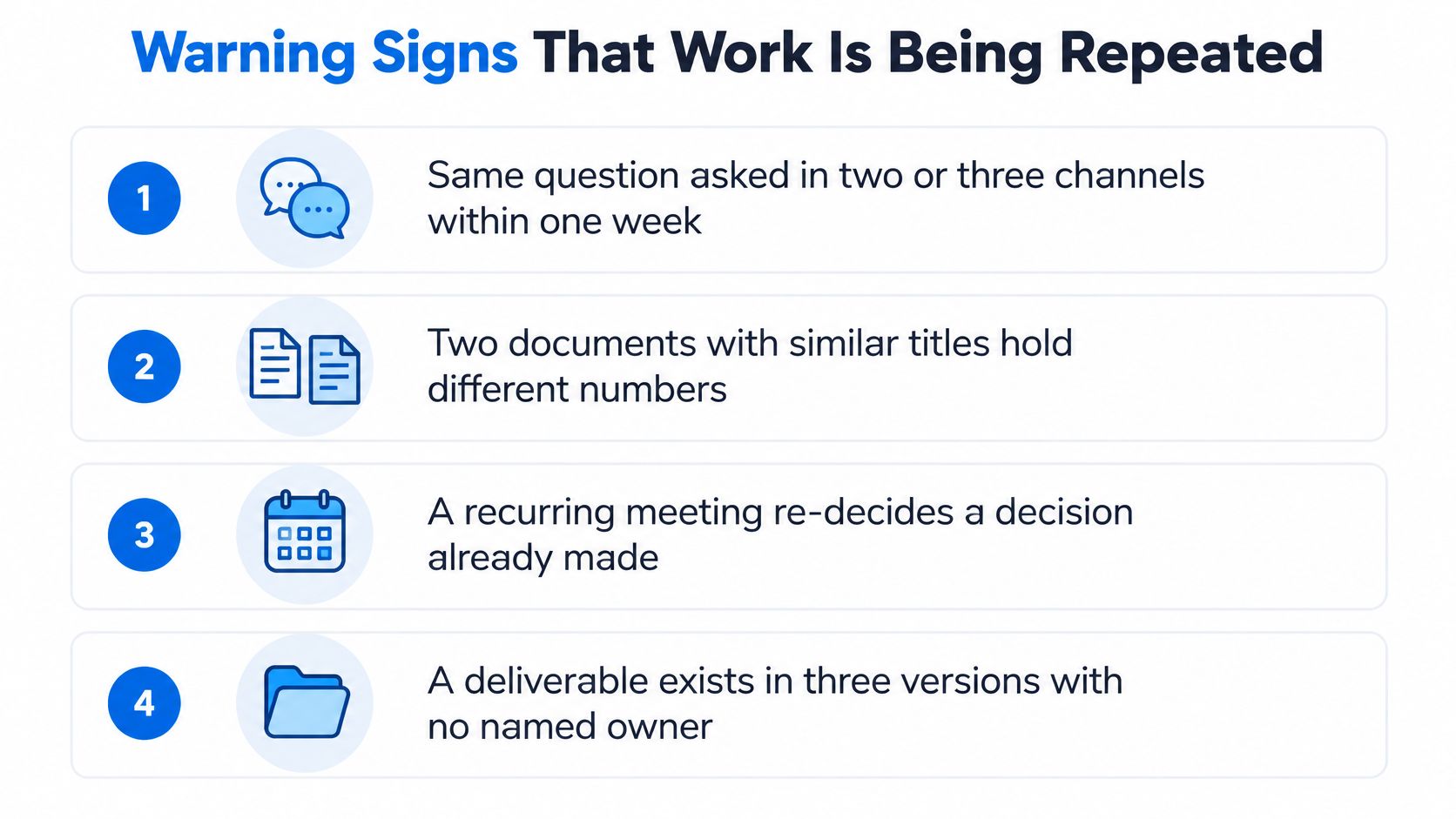
- The same question is asked in two or three channels within a week. Check chat search for the phrase. Three hits across two channels means people are shopping for an answer because none is recorded.
- Two documents with similar titles hold different numbers. Check file version history. Two live versions with different owners is the signature.
- A task is reopened after someone closed a similar one elsewhere. Check the task list for each project, not just the one you're in.
- People ask "has anyone done this?" and get no clear answer. Check the meeting notes. If the answer is a shrug every time, intake is missing, not knowledge.
- Status meetings repeat last week's updates. Check whether decisions from the last meeting were written anywhere the work is tracked.
- A new team member rebuilds a template that already exists. Check the shared drive and the old project archive. This one is common after turnover.
- A client gets two versions of the same answer from two people. Check the sent folder. It's the costliest sign and the easiest to confirm.
Scoring rule: one sign is usually noise, three or more in the same project points to structural overlap rather than an unlucky week. Run the checklist against your last three completed projects and write down which signs appeared and where each one started.
The same pass catches duplicates early. A study of Firefox, SeaMonkey, Bugzilla, and Eclipse Platform found that more than 50% of duplicate reports were identified within half a day, often without discussion and with very few participants, as reported in this empirical study of duplicate issue detection. Similar titles and someone's memory of a related report did most of the work. That study's classifier reached precision of 0.60 to 0.77 and recall of 0.23 to 0.96, which is a useful caution. A match is a prompt to classify the overlap, not a verdict.
Search new tasks for close titles before they're a day old. The numbers give you something to put in front of a manager who wants to know why the same report has three owners, and the project reports you already produce can carry them.
How to Measure the Cost of Repeated Work
Run this on one team, once, so the cost becomes a number instead of a feeling. Seven steps, four to six weeks, no new software.
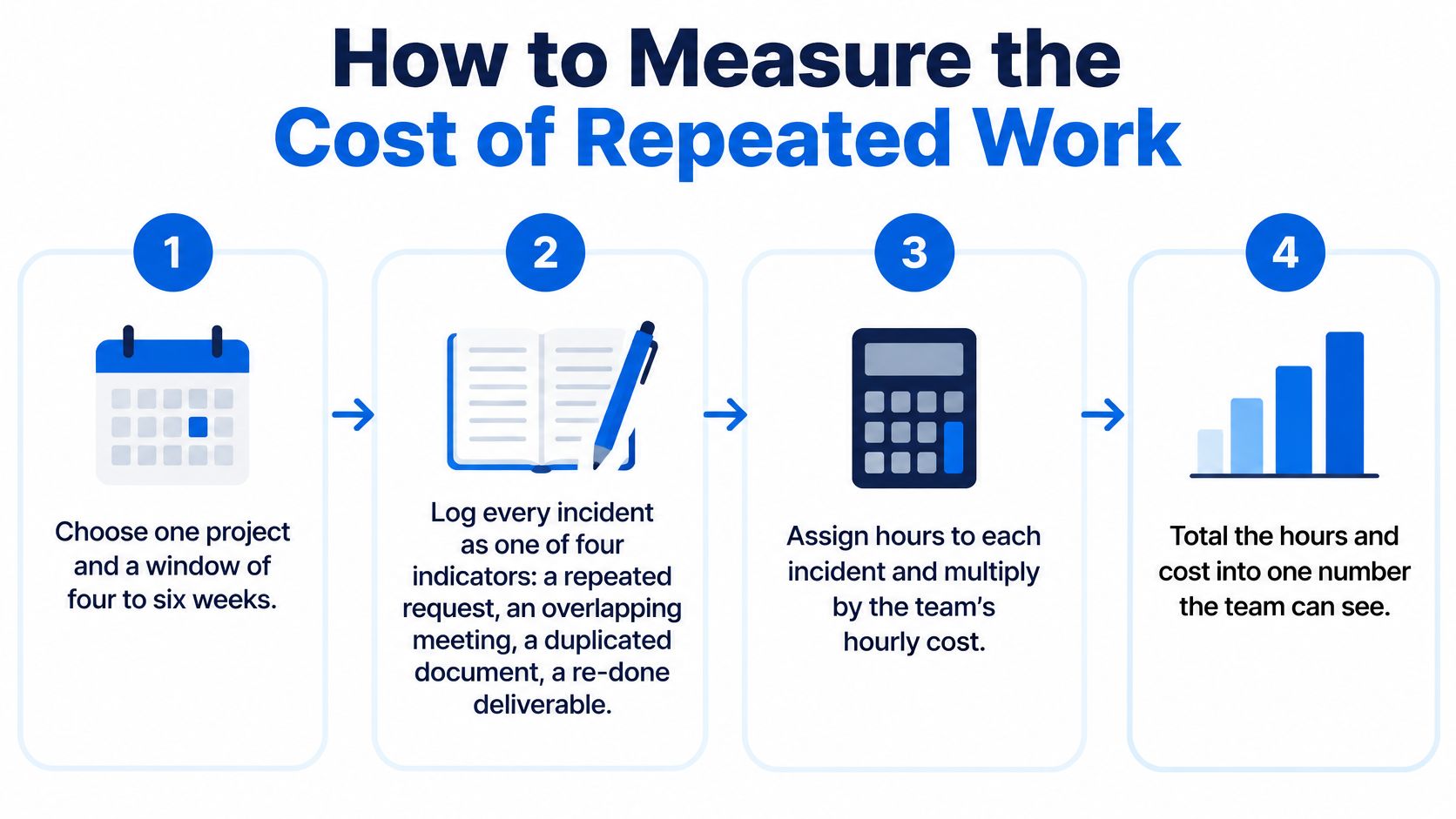
- Choose one project and a fixed window. Four to six weeks of a project that's finished or nearly finished beats a live one, because you can see the whole shape of the work rather than guessing at the end.
- Log incidents under four headings. A repeated request, an investigation reopened, a parallel deliverable with overlapping scope, and a question that had already been answered. Record the date and where it happened.
- Track search minutes on their own line. Each day, note the minutes people spent hunting for information before they could start. Teams skip this step and it's the one that tells you whether access or production is the problem.
- Count handoffs that came back. Work that returned because the next person lacked status or context. These look like small delays and behave like rework.
- Split the hours five ways. Duplicated production, ordinary search, ordinary rework, meetings, and necessary collaboration. Count only duplicated production and the reconciliation of conflicting copies as waste.
- Multiply wasted hours by a loaded rate. Salary plus overhead, one rate for all teams, so comparisons hold across departments.
- Repeat the window after you consolidate. Same project type, same three measures: incident count, search minutes, wasted hours.
Keep search and duplication apart in your numbers. Merge them and every team looks wasteful, including the ones doing the work right.
Step five is where most internal audits go wrong. If you count every meeting and every search as loss, you'll be told to stop measuring, and you'll deserve it. Collaboration is the work. Rework is the waste. The line between them is whether the second effort produced something the first one hadn't.
At a wider scale, an international survey of 12,000 knowledge workers and 200 Fortune 1000 executives found that roughly half of knowledge workers said teams unknowingly work on the same things, while executives and teams spend about one-quarter of the workweek searching for information, according to the State of Teams 2025 report. The same breakdown applies at any size: the incidents cluster, the search time adds up, and the reconciliation meetings are the visible tip.
Your usable output is the baseline hours, the incident count, and a before-and-after comparison on the same measures. If you want the measures to line up with what leadership already reviews, the project KPIs most teams track are a sensible place to attach them.
Prevention Practices That Keep Work From Repeating
Measurement tells you where the leak is. These eight practices close it, and each one takes less than an hour to set up.
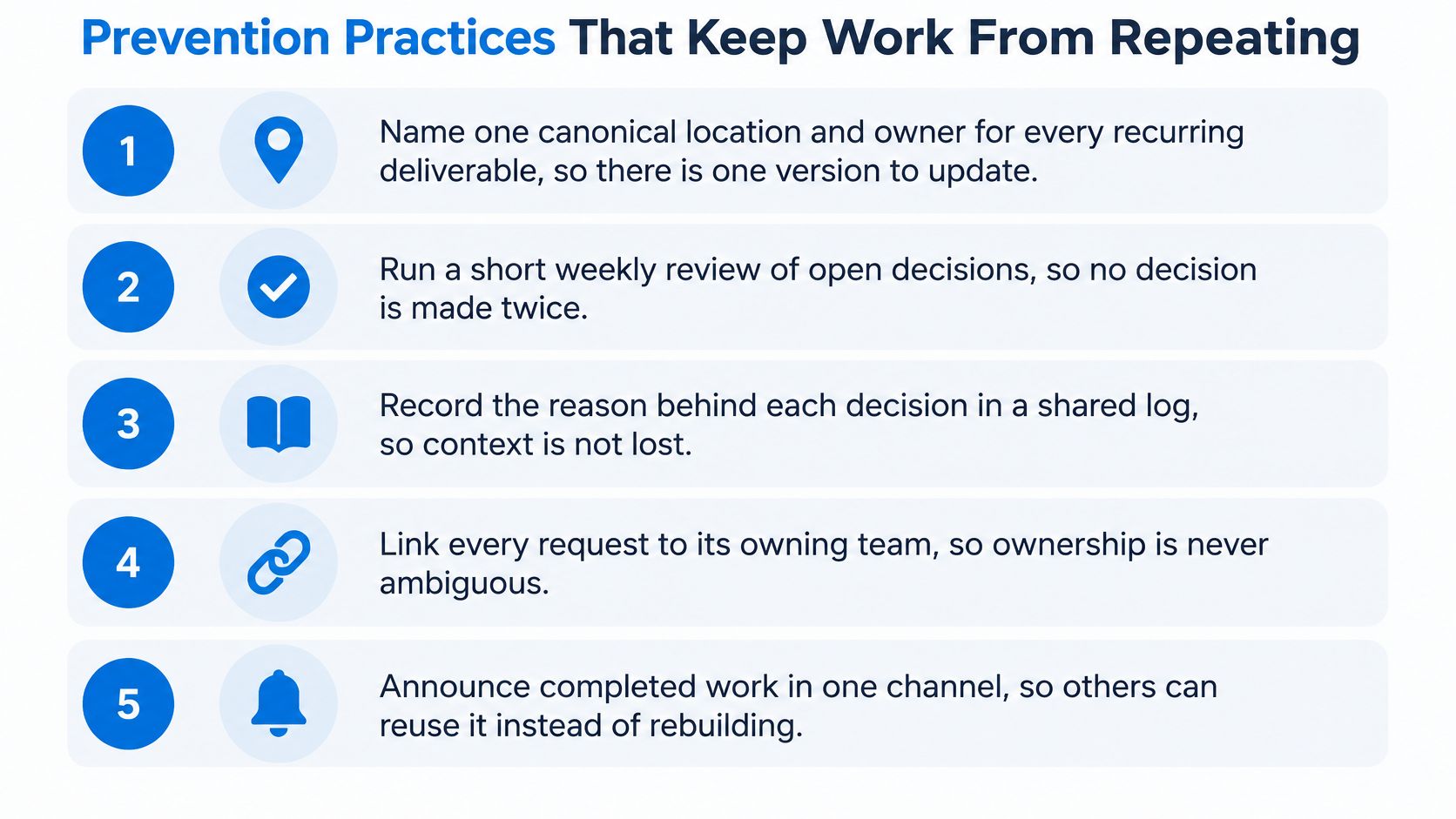
- Name one canonical location and owner for every recurring deliverable. One version to update means no debate about which copy is current. Start with the five documents that cause the most confusion and work down.
- Run an intake check before new work opens. Search projects, tasks, and files by keyword, then write the result of that search in the new task. "Searched 'client report', found nothing current" is a five-second sentence that prevents a week of rebuilding.
- Standardize titles and short descriptions. Search only finds work whose names are consistent. "Q3 Client Performance Report" gets found; "client stuff v2" doesn't.
- Connect conversations to the work. When a chat message commits someone to a task, convert the message into a task so the decision reaches the item being tracked, then reply in the thread so the context stays attached.
- Keep a decision log with date, owner, and reason. The reason is the part that stops a settled question from reopening in six weeks with a new person in the room.
- Record exceptions where independent review is intended. Name who reviews and which failure mode they cover, so a future efficiency drive doesn't delete a control you needed.
- Preserve version history on shared documents. A rebuilt file should trace back to its source, so the next person can see why it changed rather than starting over.
- Review recurring outputs each quarter and retire the copies. Duplication accumulates by default; the archive only gets cleaned when someone is assigned to clean it.
Practical rule: if the reason for a piece of work can't be written in one sentence, it probably duplicates something. If it can, that sentence belongs in the record.
The warning worth taking seriously is that adding another separate tool can make duplication worse when it creates another silo. If the conversation happens in one place, the task in a second, and the file in a third, the new tool didn't fix the retrieval problem, it added a fourth place to search. The goal is linked records, not more software. Consolidating context beats automating the search across six disconnected apps.
When you're ready to set this up, a step-by-step walkthrough will save you from inventing the structure yourself.
Confirm Your Baseline Before Changing the Workflow
Don't restart the whole workflow this week. Take one active project and do four things.
- Pull the baseline you already measured. Incident count, search minutes, wasted hours. If you haven't measured, use your best estimate from the last month and label it as an estimate.
- Sort every open overlap with the three-type test. Write the verdict next to it: stop, keep as independent review, or time-box the experiment.
- Name the canonical output and its owner in the project record. Add any review that must stay separate and the failure mode it covers, so the exception survives your departure.
- Set a recheck two to four weeks out. Compare the same three numbers. A drop means the change is working. No drop means the same work is still being filed in a second place.
Identification and elimination are different jobs. In its 2017 GAO assessment of savings from reducing fragmentation, overlap, and duplication, GAO reported an estimated $136 billion in savings from actions taken since the review program began in 2011, while a later congressional record noted that of 440 recommended actions, 37% had been fully addressed and 20% had not been addressed at all. Finding the overlap is the easy half.
Recheck rule: the change worked if incident count, search minutes, and wasted hours all fall. If only the meetings fell, you renamed the problem.
If discussion, tasks, files, and time already need to live on one record, use the workspace the team has. Tuff keeps projects, tasks, chat, docs, and time tracking in one place, and a chat message can be turned into the tracked task so the commitment doesn't stay stranded in a thread.
Finish the week only when the baseline, the named owner, and the recheck date are written in that record. Anything held in memory will be gone by the next sprint, and the second report will get built again.
Tuff puts the canonical record in one place, with projects, tasks, chat, docs, and time tracking in the same workspace, so a decision made in a thread becomes a task with an owner instead of a second version of the same report. Start on the free Duo plan for two people, no card needed, and run this week's baseline inside a real project. Visit Tuff to see what a single project record looks like in practice.