How to Manage Team Tasks Without Constant Follow-Ups
Learn how to manage team tasks with clear owners, statuses, focus rules and a weekly review that cuts constant follow-ups.
Your Thursday has one real question in it, and you can't answer it from memory: did the client ever sign off on the revised scope, or is that still sitting with someone? So you scroll. A channel, a document, a thread, a task that may or may not be the current version. Twenty minutes later you have the answer and nothing that moves the project forward.
The follow-up isn't the problem. The problem is that the answer wasn't findable in one place, so the system outsourced its job to your memory and your patience. Teams that stop chasing status don't get there by communicating more. They get there by making every piece of work carry its own owner, its own finished definition and its own evidence.
Set Up Lists, Statuses and Owners Before Work Starts
Open a new project and the first thing you see is five empty lists. That's the smallest structure that can hold real work, and it's where a team either builds a control system or a junk drawer.
The rule I'd hand any lead is blunt. Create one project per client, launch or sprint, never one giant list for everything. A project carries its own tasks, chat, documents and announcements, so a decision stays next to the work it changes. Three lists do the daily work: Backlog for work accepted but not scheduled, Todo for work with one owner and a due date, Done for work finished with evidence attached. Add In review only when a second person has to check the output before it counts.
The status rules every task follows
A status isn't a label on a card. It's a statement about who is accountable right now, which is why each one needs a rule attached.
| Status | What it means | Who moves it | Rule |
|---|---|---|---|
| Backlog | Accepted, not yet scheduled | Project lead | Review every week and remove stale items |
| Todo | Scheduled with one owner and a due date | Assignee | No task enters Todo without one owner |
| In review | Work done, waiting for a check | Reviewer | Check against the agreed definition of done |
| Done | Finished with evidence attached | Owner | Close only when evidence is attached |
An agency halfway through a website redesign shows how this runs in practice. The copy approval task sits in Todo with the content lead as owner. When the copy is drafted, the owner moves it to In review and asks the client lead to check it against the approved messaging document. The client lead approves or comments. Only the content lead, the original owner, moves it to Done, and only once the approval is pasted into the task.
That discipline pays. PMI's Pulse of the Profession found that 28% of strategic initiatives failed outright, and the leading cause of failure, in 37% of cases, was the lack of clearly defined objectives and milestones for measuring progress (PMI Pulse of the Profession 2017). The same research put project success at 92% for high-performing organizations against 33% for underperformers.
Here's the test I'd run on any new project before work starts. Open it cold and give yourself one minute. Can you tell who owns each open task and what done looks like for it? If not, the lists aren't set up yet. Agreeing the shape during the kick-off is faster than repairing it later, and a project kick-off meeting template gives you a place to record lists, statuses and owners while everyone is still in the room.
How to Assign Tasks Clearly, Step by Step
Use the same sequence every time, even for a two-hour job. The point isn't ceremony. Each step closes a specific hole where work leaks.
Write the outcome and the acceptance criteria before you name anyone. Something like "homepage copy approved by Friday, after no more than two rounds of revision" tells everyone what finished means. The common slip is opening with the activity, "work on homepage copy," which nobody can verify. Requirements failures are the largest documented cause: PMI reports that inaccurate requirements were the primary cause of project failure for 37% of organizations (PMI requirements management report).
Split the outcome into tasks one person can verify alone. If confirming completion means asking another team a question, the task is still too big. Decompose until a single reviewer can look at the output and answer yes or no.
Name exactly one owner. "The design team" is not an owner, and a list of three names isn't either. Two owners produce the same result every time: both assume the other has it.
Record priority, due date and dependency. A task waiting on brand assets isn't late because its owner is slow, so name the task it waits on. Without that link, the weekly review becomes guesswork about who is behind.
Attach the context where the work lives. The brief, the file, the client email, the reference link. Context stored in a separate channel is context nobody reads at the moment they need it.
Review against the criteria at a set checkpoint. Pick the date in advance rather than when someone remembers. The check is against the acceptance criteria from step one, not a general opinion about the work.
Close only after evidence is attached. An approval email, a signed-off file, a screenshot of the live page. A task closed on memory is the one that reopens two weeks later with nobody able to say what happened.
The costliest version of these slips is the team that starts executing while requirements are still open. PMI found more than half of projects in low-performing organizations were unsuccessful primarily because of poor requirements management, against 11% of projects in high-performing organizations.
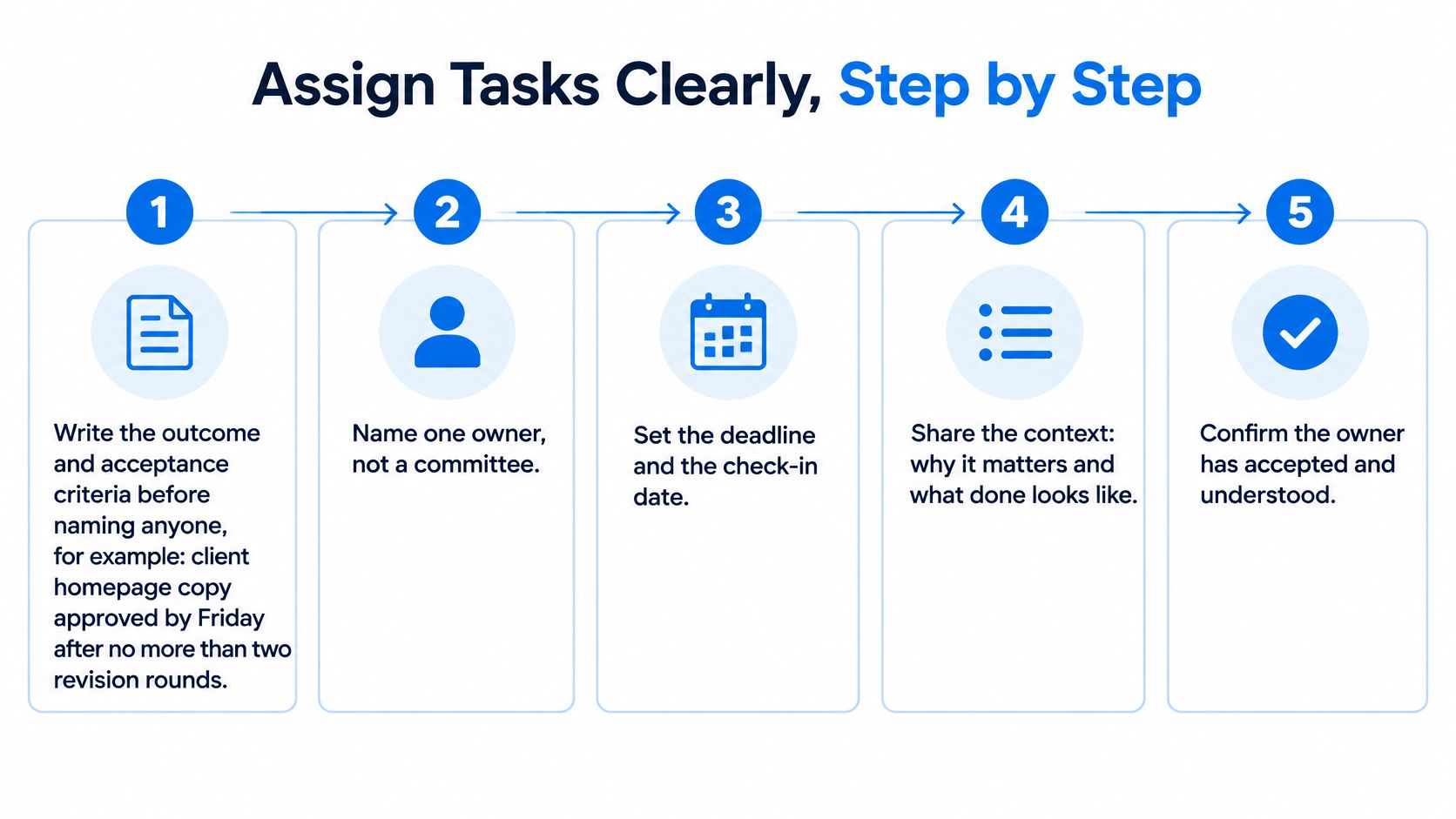
The five-step version above covers the everyday case. The extra two steps in the sequence handle the close, where teams often lose the thread.
Paste-in checklist: outcome, acceptance criteria, one owner, priority, due date, dependency, context link, checkpoint date, evidence at close.
Turn Chat Decisions Into Tracked Tasks
An art director drops a line into a busy project channel: "let's use the new hero image." Four people react. Nobody writes it down. Two days later the old file goes to the client, because the person assembling the page was working from a task created before the decision existed.
That isn't a communication failure. It's a routing failure, and it's the most common way a team ends up paying twice for the same work.
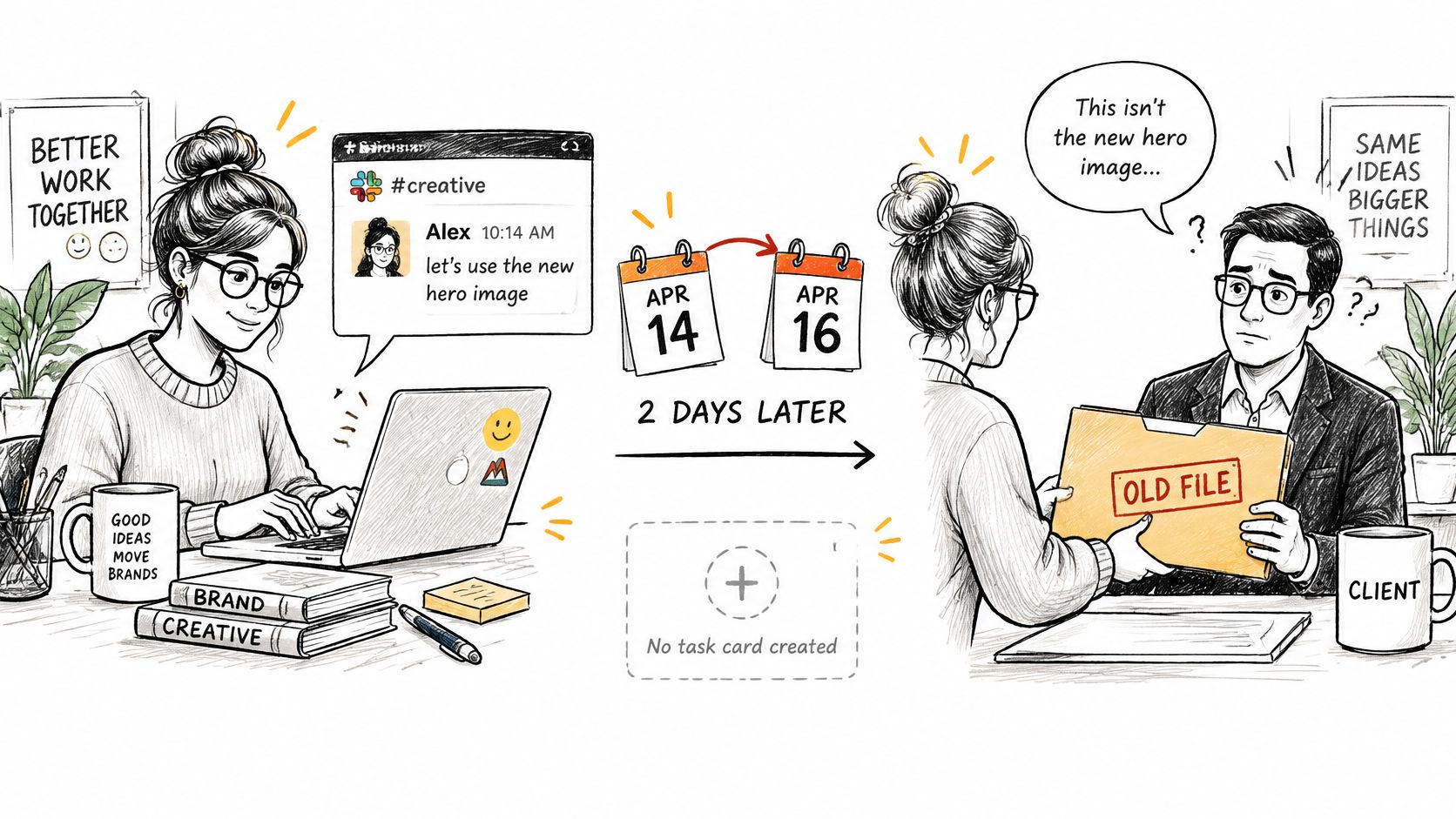
The fix is a filter you apply to each message before you send it. Three questions, in this order: is it actionable, does it have one owner, and does it need a date? If all three come back yes, the message becomes a task in the same thread, so the conversation stays attached to the work. If any answer is no, it belongs somewhere else. Decisions everyone must see go into an announcement where nobody can miss them. Open questions stay in chat with a deadline for a response, so the thread ends by a date instead of drifting.
The interruption data explains why this matters more than it sounds. Research summarized in a 2024 scholarly review found that workers switched activities such as conversations, applications and phone calls about every three minutes on average, and that interruptions raise error rates because parts of a task get repeated or missed (Springer review of task switching and interruptions). Decisions scattered across threads are an interruption generator: every person who needs the outcome has to reconstruct the conversation first.
Here's the video walkthrough of how the conversation-to-task move works in practice:
Scattered tools make the chasing worse, not better. Zoom and Morning Consult's 2024 survey of 7,969 knowledge workers across 16 countries found that 42% of employees using more than 10 work apps spent at least one hour a day following up with teammates about project or task status (Zoom collaboration report).
The rule to adopt this week: no decision leaves a chat thread without a named owner and a link to the task that records it.
How to Cut Interruptions and Task Switching
Treat interruptions as capacity, not character. Research on software development found that developers working across two or more projects spent 17% of development effort on cross-project interruptions, while a diary study of information workers recorded more than four interruptions per hour, with the disrupted task not resumed immediately 40% of the time (ACM study on interruptions and task switching). That's a fifth of your delivery budget going to reloading context.
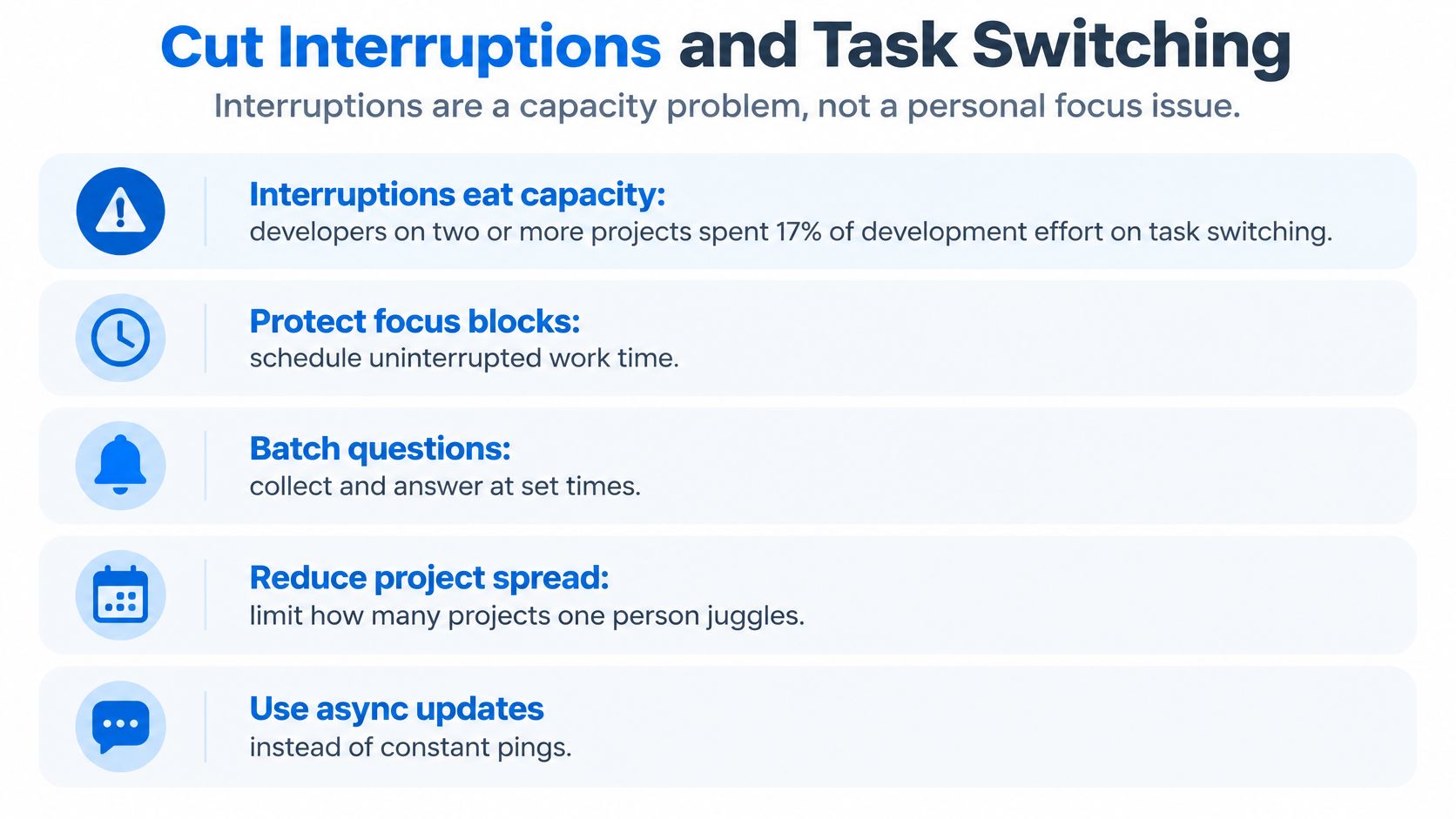
The routine below is what I'd set up before touching anyone's calendar.
Group work by project or client. One context per day where you can arrange it. A designer moving between three clients before lunch does three warm-ups and produces one good hour of output.
Set a work-in-progress limit per person. Two active tasks is a workable start, and it forces the question of what gets done this week. Unlimited simultaneous assignments are a scheduling decision made by nobody.
Route interruptions through explicit priority rules. Only blocking requests reach someone immediately; everything else queues. A written rule beats a judgement call made under pressure at 11am.
Batch chat review into two fixed windows. Late morning and late afternoon works for most distributed teams. The channel stays alive; nobody is expected to watch it.
Log cross-project interruptions against the work. Then compare that time with cycle time and rework. What gets measured gets argued about, which is the point.
Run a weekly review that deletes blocked and obsolete tasks. Old tasks are interruptions waiting for a moment of guilt. Removing them is cheaper than carrying them.
The priority rules in step three only work if the team has already agreed what matters this week, which is what a planning and prioritization routine produces. For teams that ship code, one status update can remove itself entirely: when a task is named in a branch or pull request, it moves itself through In progress, In review and Done when the pull request is merged.
Two failures undo all of this. Treating every message as urgent. And measuring utilization without measuring rework, which rewards the person who looks busiest while the deliverable gets rebuilt twice. Use 17% as the warning line: if logged cross-project interruption time approaches that share of delivery effort, investigate the workload, not the person.
Measure Coordination, Not Just Finished Tasks
Completion counts lie in a specific direction. They reward fragmented tasks, rushed handoffs and activity that never moves a project, because a team that closes forty small tickets looks better than a team that closes twelve that mattered.
The pressure to run faster makes that measurement gap expensive. Workday's 2025 global survey of 2,950 decision-makers and implementation leaders found 88% believed AI agents could reduce workload, yet 48% worried productivity gains would instead create pressure to work faster (Workday AI agents in the workplace report). Throughput without a coordination reading is a speedometer with no fuel gauge.
| Metric | How to calculate it | Warning sign |
|---|---|---|
| Tasks completed without reassignment | Completed tasks with one owner throughout ÷ all completed tasks | Falling share across two review cycles |
| Time blocked by dependencies | Hours tasks spent waiting on another task | Rising each week for the same project |
| Planned versus unplanned work | Unplanned tasks added in the week ÷ all tasks added in the week | A growing share of unplanned work |
| Rework hours | Logged time on reopened tasks ÷ total logged time | Repeat reopening of the same deliverable |
| Cross-project interruption share | Logged interruption time across projects ÷ total delivery time | Approaching or above 17% of delivery effort |
Read two signals together and the cause usually names itself. Rising rework share with falling reassignment means work is being closed before it's ready. Stable throughput with rising blocked time points at dependency management, not individual speed, and the fix is scheduling rather than a conversation about effort.
Review these at project level, never as a leaderboard. Pair each number with three retrospective questions: what slowed us down, what got re-done, and what changes next week. Ranking individuals by logged hours turns a coordination tool into surveillance and teaches everyone to log defensively.
The single question these metrics exist to answer: are we coordinating better, or just getting busier?
Decide What AI Agents Can Own on Your Team
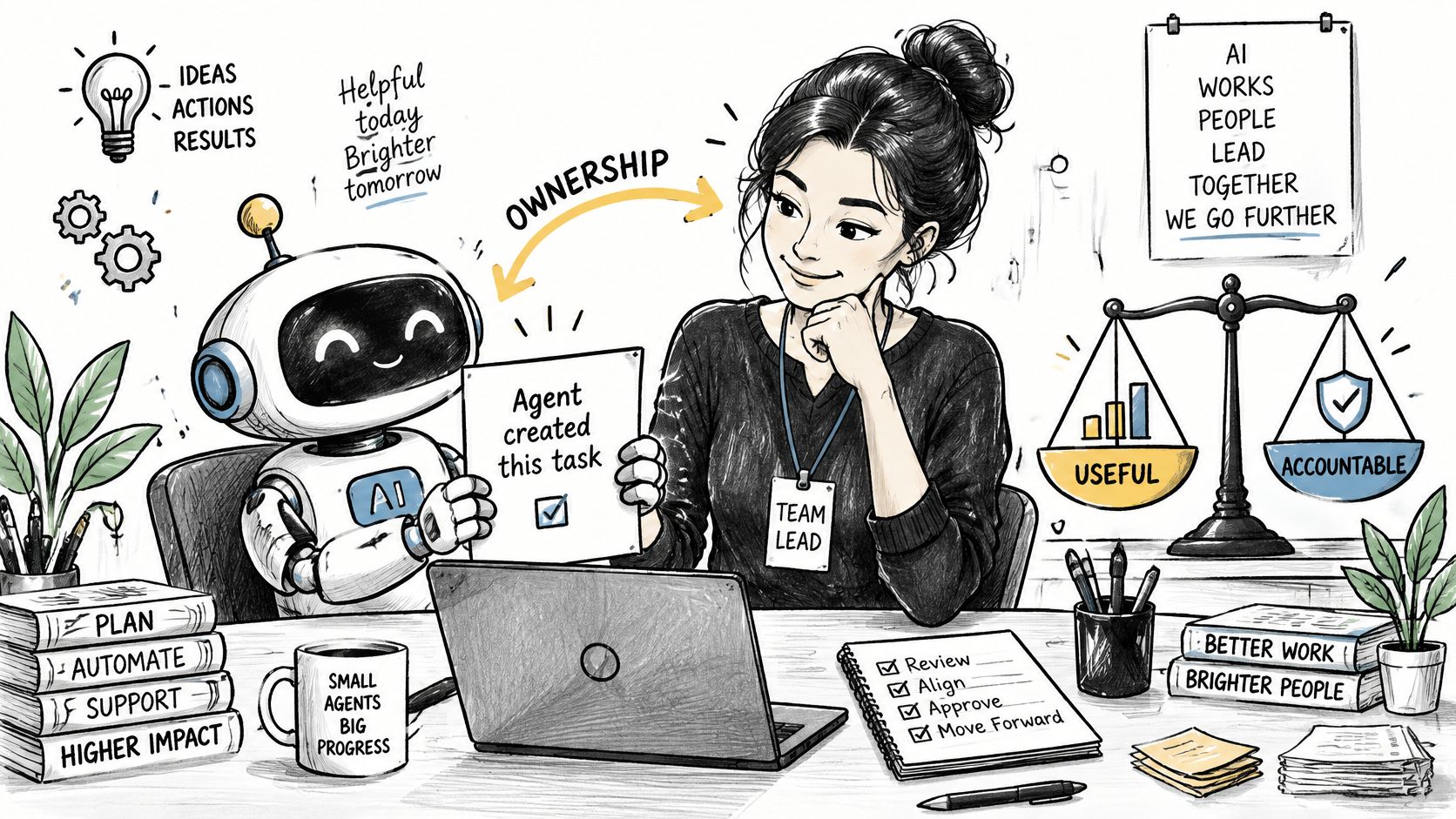
Almost every guide on AI and tasks skips the only question that matters operationally: when an agent creates or edits a task and the result is wrong, duplicated or based on stale project information, who owns the outcome?
Start with the model that survives contact with real work. Treat an agent as a junior coordinator, not an autonomous employee. It's good at intake, summarizing a long thread, drafting a task with a sensible title and pulling routine status updates. It should not own deadlines, dependencies, client commitments or anything irreversible. Those need a human signature.
The trust gap is real. A 2025 Capgemini survey of 1,100 leaders across 15 countries found 14% of organizations had implemented AI agents at partial or full scale and another 23% were piloting them, yet 71% said they could not fully trust autonomous agents for enterprise use. Only 46% had AI governance policies, and nearly half of those with policies reported that employees seldom followed them (Capgemini generative AI in organizations 2025).
Four rules cover most of the risk, and they're short enough to paste into a team handbook.
- Identify the actor: every agent-created task records which agent acted and on whose authority.
- Set an approval threshold: any change touching dates, budgets or client-facing files waits for a named human.
- Require a source: an agent-created task carries a link to the thread, document or record it came from.
- Define escalation: duplicated, stale or contradictory agent tasks go to one person, not back into the queue.
For agencies and studios the stakes are concrete. An agent updating a client deliverable from outdated project information changes what the client sees. If you're deciding where an agent earns its place first, how to use AI for project management covers the intake and reporting work that carries the least risk.
The boundary that holds: the agent drafts and reports, a named human commits.
Run Your First Weekly Task Review
Thirty minutes, same slot every week, before anything else changes. Take this agenda into Monday and run it once as written.
- Clear blocked tasks first. Each owner says what they're waiting on and who can unblock it. Anything waiting on a person gets decided in the room.
- Check every open task for three things. One owner, a due date, and a link to its brief. Missing fields are a workflow defect, not a personal failing, so fix them without a lecture.
- Clean both ends of the board. Move stale Backlog items out, and confirm every Done task has its evidence attached.
- Read the top two coordination signals from the metrics table and ask what caused them. Two numbers, quickly, then move on.
- Agree the three priorities for the week and post them as an announcement so the whole project sees one version of the plan.
The review is also where hybrid teams finally write down how they work together. Gallup and Workhuman's study of 4,439 U.S. employees found 48% of hybrid workers said their team had not discussed a formal or informal plan for effective hybrid collaboration (Gallup hybrid work productivity). Thirty minutes a week is enough to close that gap for your team, and it sets response-time expectations that reduce the chasing.
If the team is outgrowing a basic setup, check that the tool has no hard cap on projects or tasks and that the plan covers your headcount. Tuff has no cap on the number of projects or tasks, and the Team plan costs $25 a month for up to 10 people, with 25 GB of files and AI agents included.
Run the review once before you change tools, templates, or processes. Many teams discover the problem isn't the software; it's that nobody ever wrote down the rules.
Tuff combines projects, tasks, chat, documents and time tracking in one workspace, so a decision in a thread and the task that carries it stay in the same place. Turn a message into a task, mention it in chat with #, and give it one owner, a due date and a definition of done that anyone can check. Visit Tuff to set up your first project, run a week of reviews, and see whether you're coordinating better or just getting busier.