Project Kick Off Meeting Template: Agenda and Steps
Use this project kick off meeting template to set scope, owners and decisions. Get the agenda with timings, run steps and a 24-hour follow-up plan.
The calendar invite says Project Kickoff, 60 minutes, agenda to follow. It lands on a Tuesday. Three weeks later the account lead and the designer are still arguing about whether the client gets two review rounds or one, and the answer sits in a chat thread from before the project started.
That gap isn't a personality problem. It's a documentation problem, and it begins the moment the invite goes out. A kickoff run on memory produces an agreement nobody wrote down, which means every person carries a slightly different version of the project into week two.
A project kick off meeting template fixes this by making the meeting produce artifacts instead of atmosphere. The template isn't the agenda. It's the contract the agenda has to generate: decisions, owners, dates and the evidence that proves each one landed.
Why a Kickoff Needs a Template
Project performance tracks closely to whether teams define and pursue the original goals and business intent. In PMI's 2013 Pulse of the Profession, only 62% of projects met their original goals and business intent, down from 72% in 2008, and approximately 17% of projects failed outright. The financial picture is just as blunt: a McKinsey and University of Oxford study of more than 5,400 IT projects found projects ran 45% over budget on average and delivered 56% less value than predicted, according to McKinsey's analysis of large IT projects.
Now the smaller, more familiar version of the same failure. Say an agency kicks off a rebrand. The account lead assumes two client review rounds because that's what the last retainer included. The designer assumes one, because one is what the statement of work describes. Nobody writes a number down, so week three opens with a change order negotiation instead of a design review.
A kickoff is the first and cheapest chance to convert an approved idea into a shared operating agreement. Most invites carry only a date and an attendee list, which is exactly why the same questions resurface in week two: the meeting never produced a fixed record, so the answers depend on who remembers what was said.
The test I apply to every template line: if it doesn't produce something a named person could be held to, it doesn't belong in the template.
A working template captures nine items: business objective, success measures, scope boundaries, assumptions, decision rights, dependencies, risks, communication rules and immediate actions. Pull up your current invite and check it against those nine. Note the missing ones, then build the agenda that closes them.
Kickoff Agenda Template With Timings
Ninety minutes, eight blocks, one output per block. This is the agenda I'd use on any project with more than one stakeholder and a delivery date. Copy it into a shared document and add a column for the actual owner of each block before you send anything.
Kick off agenda blocks with timings and outputs
| Agenda block | Time | Purpose | Output |
|---|---|---|---|
| Objectives and business intent | 10 min | Agree why the project exists and what success looks like | Signed-off objective and three success measures |
| Scope in and out | 15 min | Draw the boundary of the work | In-scope and out-of-scope lists confirmed aloud |
| Deliverables and acceptance | 15 min | Define done for each deliverable | Acceptance criteria and approver per deliverable |
| Milestones and dependencies | 10 min | Fix dates and identify blockers | Milestone list with a dependency owner for each |
| Roles and decision rights | 10 min | Settle who decides what | Decision rights table with a named owner |
| Communication and escalation | 10 min | Set channels, response times and the escalation path | Channel map and escalation ladder |
| Risks and assumptions | 10 min | Separate assumptions from verified facts | Risk list with trigger condition and response owner |
| Immediate actions and close | 10 min | Confirm the next checkpoint date | Action list with owner, due date and completion evidence |
Paste this into the invite itself, not into a document behind it:
- Meeting and duration: project kickoff, 90 minutes.
- Goal: agree objective, scope, deliverables, milestones, roles, communication, risks and immediate actions.
- Bring: the approved charter and the pre-read.
- Decisions expected: the eight outputs in the agenda, each signed off in the room.
- Action standard: every action needs an owner, due date, dependency and completion evidence.
The order matters more than the timing. Objectives come first because scope and deliverables can't be judged without them, and the close comes last so actions get captured while everyone is still present to accept them. Keep the same eight blocks on every project and change only the minutes when the scope is smaller or larger, so the template stays reusable instead of being rewritten each time.
If you need a fuller skeleton to hang the rest of the delivery plan on, the example project plan shows how kickoff outputs turn into lists, owners and dates.
Prepare Inputs and Invites Before the Meeting
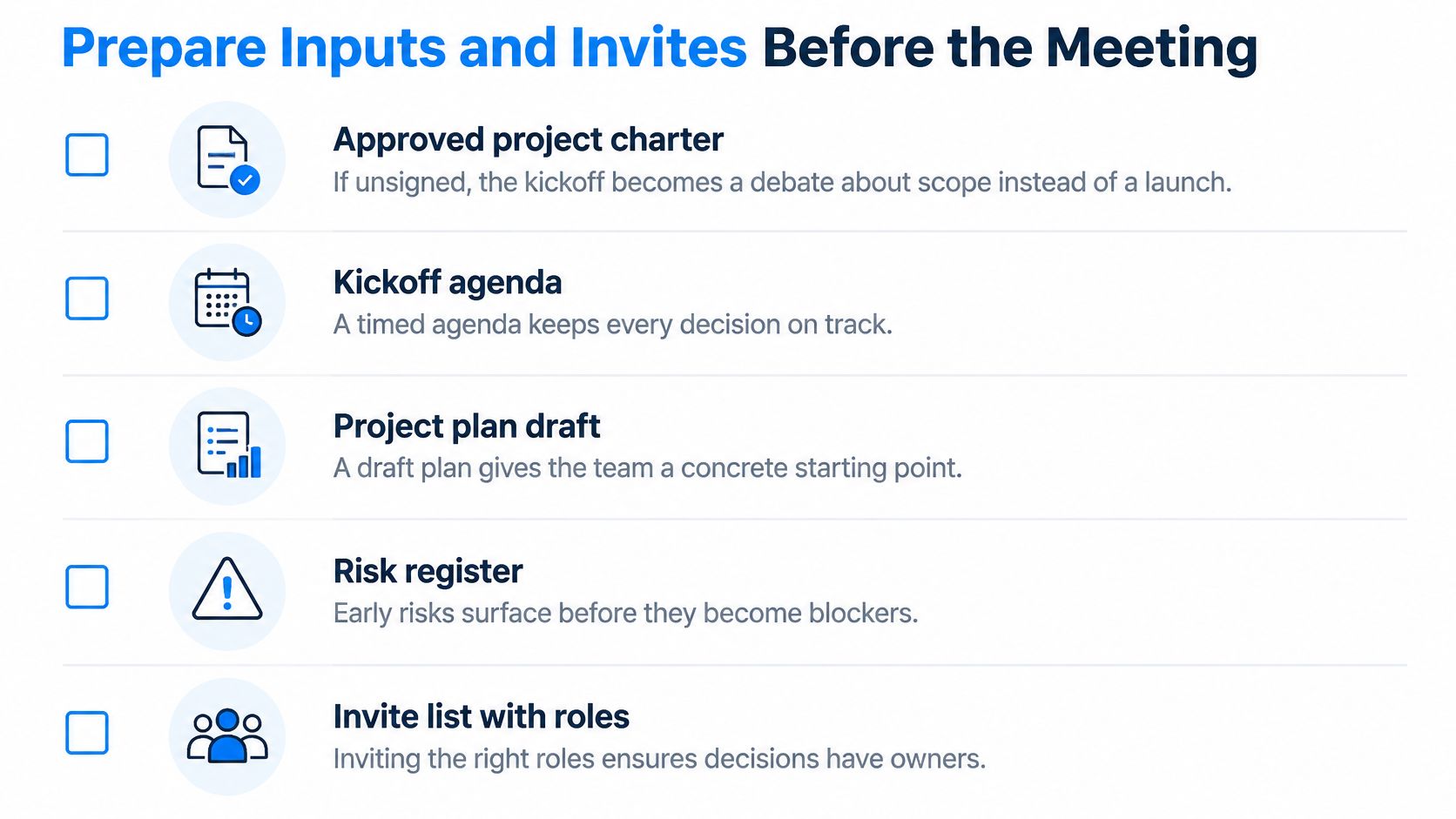
The meeting is decided before anyone joins the call. Five inputs need to exist first, and each one removes a specific failure.
The pre-meeting checklist
- An approved project charter. If it isn't signed, the kickoff turns into a debate about whether the project should exist, which is a sponsor conversation you're holding in front of an audience.
- A written business objective and measurable success criteria. "Improve onboarding" gives the room nothing to decide. A number or a binary outcome gives it a target.
- Named decision-makers and subject-matter experts. Every attendee should own a decision or supply a specific input. If you can't name which, they're a spectator.
- Requested risks and proposed approaches, 48 hours ahead. This is what turns the live hour from brainstorming into deciding.
- One message carrying the agenda and the pre-read, so nobody hunts for the second document.
Keep the live discussion group to roughly 5 to 8 people, since conversation quality drops beyond that size, and treat remote meetings as something you have to design for: latency, turn-taking and status differences all suppress participation, which is why the psychological safety at work playbook recommends round-robin input, chat prompts and a visible parking lot for unresolved questions, plus written brainstorming before the call rather than spontaneous ideation inside it. For distributed teams, pick a time that suits the most distant attendee, state the meeting language, ask about accessibility needs and give anyone who can't attend a written route to object.
Here's the check that blocks the invite: if you cannot name the person who can approve a scope change, the invite isn't ready.
Run Each Agenda Block
Facilitation is where a good template survives or collapses. One rule keeps it alive: every block ends with something written down.
The eight blocks run in a fixed sequence, and the sequence is worth rehearsing once before you facilitate it live.
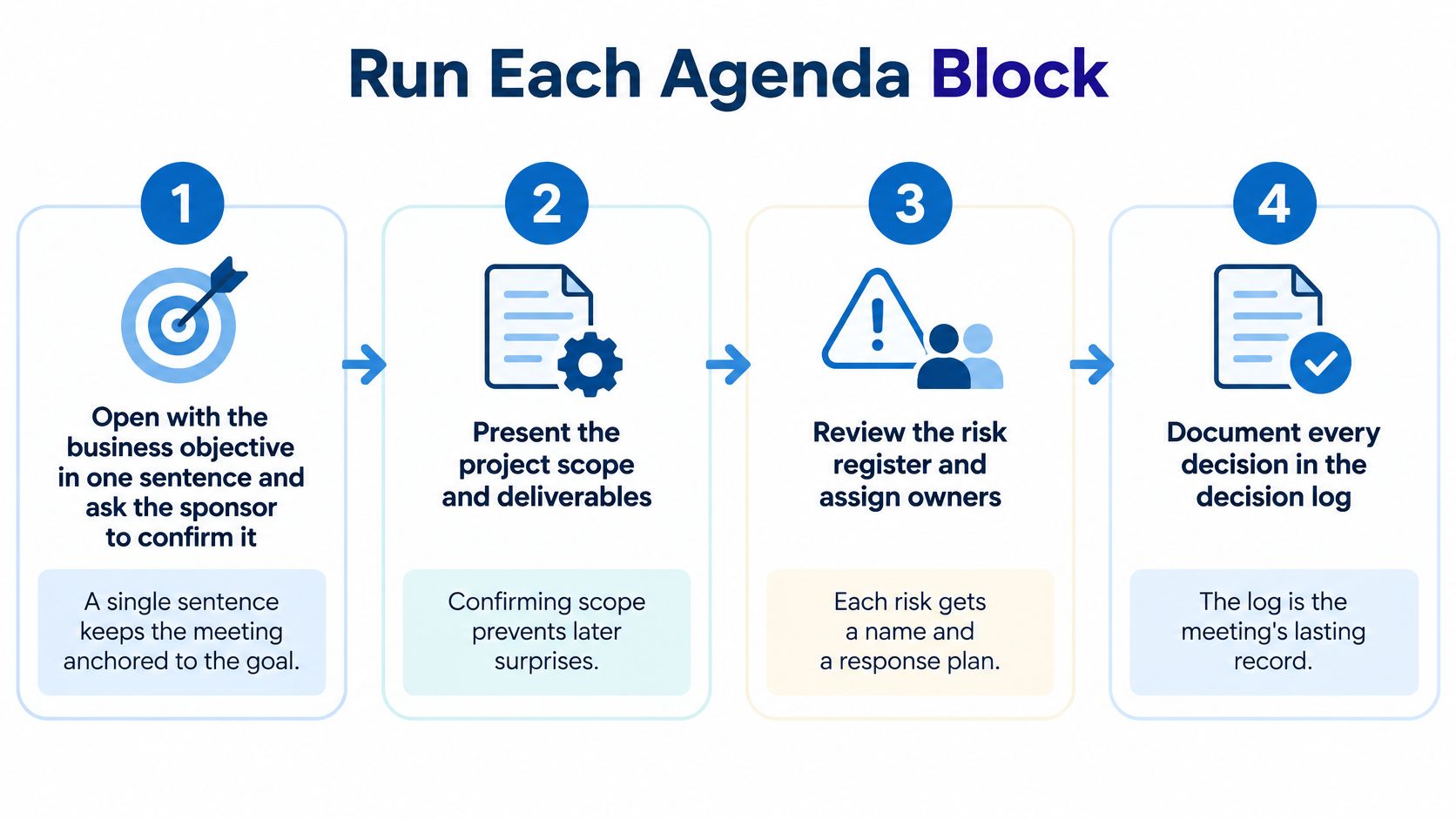
- Open with the business objective in one sentence. Ask the sponsor to confirm it out loud before anyone opens a laptop. A wrong objective poisons every decision downstream, and you want to find that out at minute ten, not week six.
- Read the in-scope and out-of-scope lists aloud. Both, and get a verbal yes before reviewing detail. Teams agree to detail they haven't scoped; reading it out is the cheapest way to surface the person who assumed the mobile app was included.
- Define done for every deliverable. Ask what done means, who approves it and what evidence proves it, then record the answer in the register with an ID, an owner and a status. The acceptance test then exists before the work does.
- Map milestones and dependencies together. For each deliverable, ask which dependency could block it and who chases that dependency. A dependency with no owner is a blocker waiting to be discovered in a status meeting.
- Confirm decision rights, not job titles. Who can say yes, who can say no, who only needs to be told. Seniority in the org chart and authority on this project are different things, and the room needs the second one.
- Set channels, response times and the escalation ladder. Write the escalation path as a sequence of named people with thresholds, so someone stuck on a Friday afternoon knows exactly who to contact and when.
- Separate assumptions from verified facts in the risk review. Give every risk a trigger condition and a response owner. An assumption without a trigger is a hope; a risk without an owner is a talking point.
- Close by reading the decision log, the open questions and the next checkpoint date. Each action owner confirms their action out loud, by name. That verbal round is what converts a note-taker's list into a commitment.
The stakes are worth stating plainly. PMI's work on the essential role of communications reports that two in five projects do not meet their original goals and business intent, with ineffective communications associated with half of unsuccessful projects, and estimates that US$135 million is at risk for every US$1 billion spent on projects, including US$75 million attributable to ineffective communications. The 24-hour follow-up is the control that answers this: publish the decision log, create the assigned tasks, attach the source material, schedule the first checkpoint.
If you'd rather watch the sequence than read it, this walkthrough covers the same blocks in running order.
Decision Log Fields and Owner Assignments
Most agendas cover goals, scope, roles and risks, then stop short of the part that determines whether any of it holds: how decisions get made, who has final authority, how dissent is recorded and when a decision gets revisited. Meeting data compiled by My Hours on meeting statistics puts numbers on the gap, with 77% of workers frequently attending meetings that end with another meeting being scheduled and 54% leaving without knowing the next action or its owner.
The fix is a decision log with seven fields, filled in during the meeting rather than reconstructed after it.
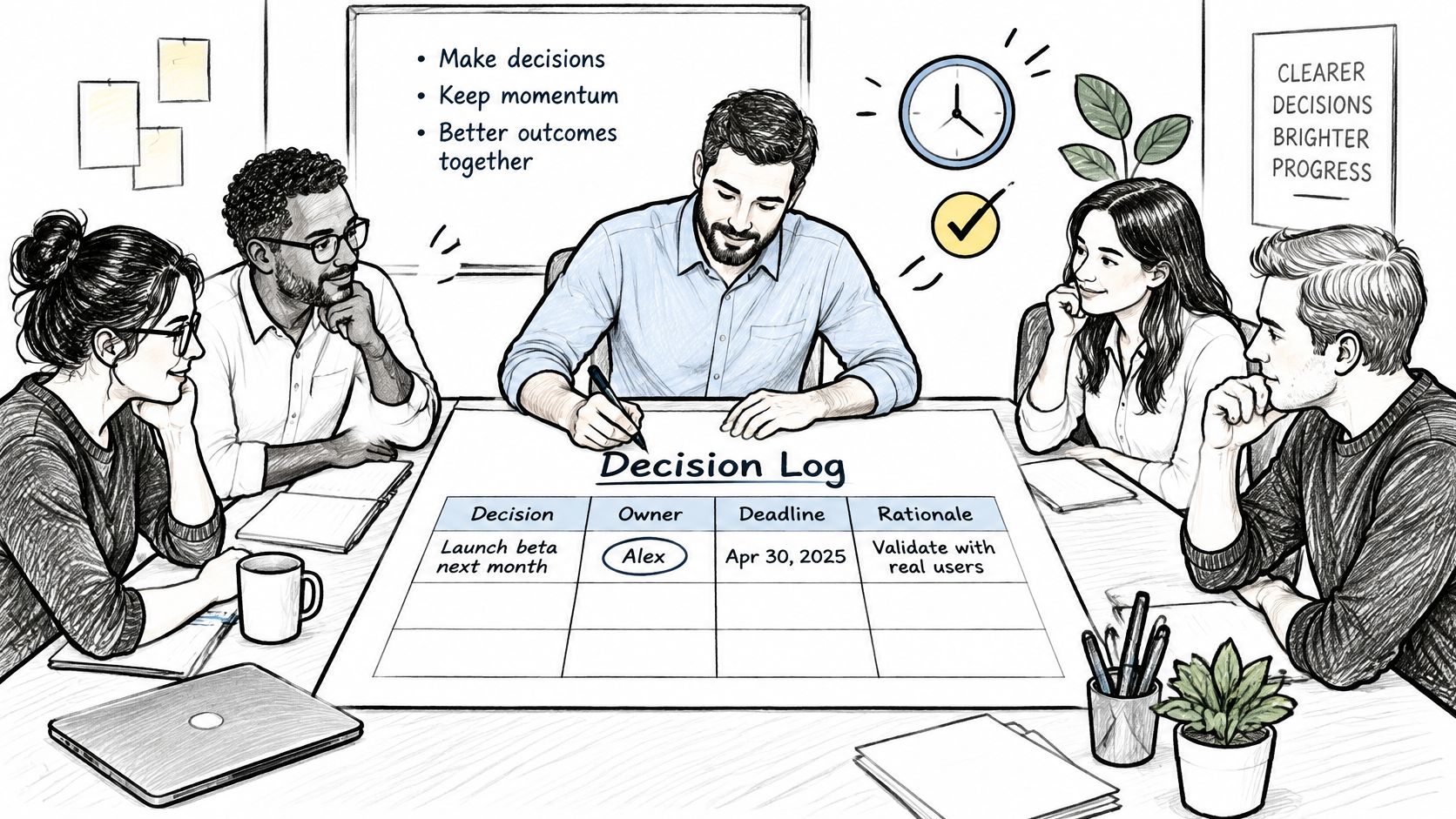
Decision log fields and a worked example
| Field | What to record | Example |
|---|---|---|
| Decision | The choice in one sentence | Launch on 14 March with two review rounds |
| Alternatives considered | Options rejected and why | Three review rounds rejected because the client signs off in two weeks |
| Owner | One named person accountable | Priya, client-side project lead |
| Deadline | Date the decision must be revisited | 30 days after kickoff |
| Assumptions | Conditions the decision depends on | Client content arrives by 1 March |
| Confidence level | High, medium or low | Medium |
| Escalation path | Who decides if the owner is blocked | Steering lead, then account director |
Every discussion item should end as one of three things: a decision, a bounded uncertainty, or a task with an owner and a due date. A kickoff shouldn't try to resolve every ambiguity. It should name the ambiguity, bound it, hand it to one person and set the date it comes back.
Recording dissent without punishing it
Write down who objected and why, in their words. A dissent line costs thirty seconds and buys you the ability to say "we heard that, this is why we went the other way" in month two, when the objection turns out to be right and everyone remembers who raised it. Silence isn't agreement; it's an unmade decision wearing a nod.
Low-confidence decisions get a revisit date, and that date gets attached to the first checkpoint rather than floating in a document. Thirty days after kickoff is a sensible default for medium confidence, because it's late enough to have evidence and early enough to change course cheaply.
For agencies and distributed teams, the log belongs in the project workspace next to the tasks and files, not in meeting notes nobody reopens. The project implementation plan is the natural place to carry those decisions forward into delivery.
If a decision has no owner or no deadline, it isn't a decision yet. It's a topic.
Common Problems and How to Fix Them
The symptom you'll recognise first is the meeting that ends by scheduling another meeting. It's rarely a facilitation problem. It's usually an attendance problem, because nobody in the room could make a decision.
| Symptom | Likely cause | Fix |
|---|---|---|
| Meeting ends with another meeting scheduled | No one with decision authority in the room | Invite only people who can decide, and reserve 10 minutes for decisions |
| Attendees leave unsure who acts next | Actions recorded without owners or dates | Assign an owner and due date to every action before closing |
| Quiet participants never speak | Senior voices speak first | Rotate who speaks first and collect written input before the call |
| Scope keeps changing after kickoff | Out-of-scope list was skipped | Read the out-of-scope items aloud and get a verbal confirmation |
| Remote attendees lose the thread | Latency and no chat prompts | Use round-robin input, chat prompts and a visible parking lot |
Name the cause before reaching for the fix. Adding a second meeting to chase actions that had no owners produces a third meeting, not accountability. Changing the agenda to reserve ten minutes for decisions and cutting the attendee list to people who can say yes fixes the same problem in one cycle.
Some fixes show results in the same week. Owner and due date discipline is visible immediately, because the next day's task list either has names on it or doesn't. Others need a checkpoint to prove themselves. Scope drift only becomes visible when the first change request arrives, which is why the out-of-scope list has to be confirmed aloud rather than emailed.
Then there's the kickoff run as a status presentation: forty slides, no decisions, dissent left unrecorded because nobody asked for it. Ask for objections explicitly and give the question ten seconds of silence before moving on. The second answer is usually the honest one.
Send the Follow-Up Within 24 Hours
A kickoff decision that is not recorded can be reopened as if it was never made. Publish the follow-up within 24 hours, while owners, due dates and unresolved questions are still clear.
The 24-hour checklist
- Publish the decision log in the project. Record each decision and any revisit date so the team can find the agreed direction without repeating the discussion.
- Create one task per action, with a named owner, due date, dependency and completion evidence. A team name is not an owner: one person must be accountable for each action.
- Attach the charter, pre-read and source documents to the project so the decision record stays with the material it governs.
- Schedule the first checkpoint and include its date in the follow-up message.
- Flag low-confidence decisions for review and set a revisit date tied to that checkpoint.
Ask each owner to confirm their task. Silence should leave an item open, not count as agreement. Put the follow-up in an announcement when everyone on the project needs to see it; keep routine discussion in chat. For setup instructions, use the step-by-step Tuff guide.
Each Tuff project holds its tasks, chat, docs and announcements. That gives the decision record a place beside the work it governs. Announcements are for news or decisions everyone on the project should see, separate from everyday chat. My tasks collects everything assigned to each person across projects, soonest first, making overdue or ownerless actions easier to spot.
Copy the eight agenda blocks and seven decision-log fields into your next project. Send the follow-up by the end of the next working day, with owners and revisit dates recorded.
A kickoff produces a scope boundary, a named approver, a revisit date and actions with owners. Tuff keeps project tasks, chat, docs and announcements together, so people joining later can read the record instead of reconstructing decisions from memory. To set this up from scratch, sign up at usetuff.com/signup or sign in with Google or Apple, then name your workspace.